SEMA API 5.14

Does SEMA API work with WordPress 6.4.3 and PHP 8.1.12? A smoke test was performed on .

Summary

Errors
1Database errors
No JavaScript exceptions
2Pages failed to load
  • 2 0
No resource errors
Performance

Memory usage: 28.37 KiB
The average PHP memory usage increased by this amount after activating by the plugin.

Page speed impact: 0.067 seconds
The average page load time increased by this amount after activating the plugin.

Environment
WordPress version6.4.3
PHP version8.1.12
MySQL version10.6.10
PHP memory limit512M
Plugin Info
Last updated
Active installs 20+
WordPress.org page https://wordpress.org/plugins/sema-api/
Badges

WordPress compatibility badge PHP compatibility badge

Get badge code

Pages 6

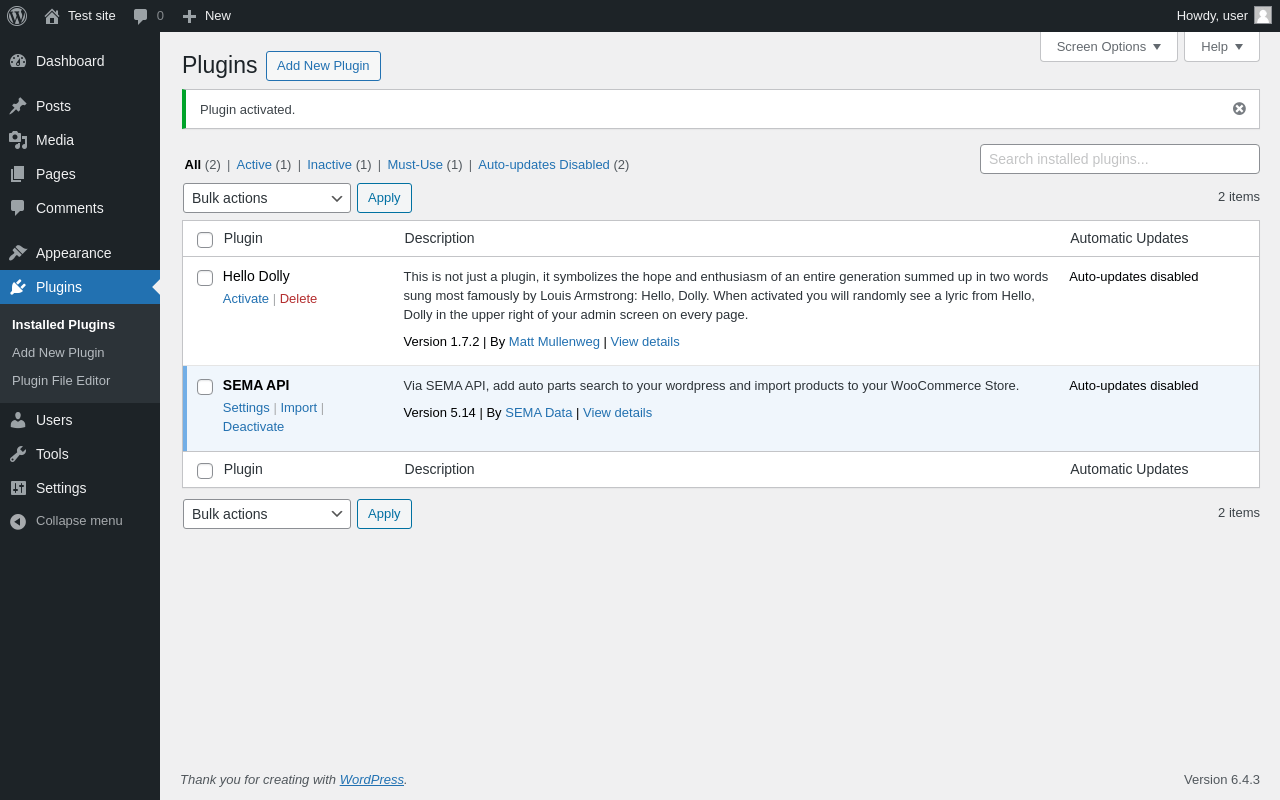
Plugins ‹ Test site — WordPress

Page screenshot: Plugins ‹ Test site — WordPress
URL /wp-admin/plugins.php?plugin_status=all&paged=1&s
Requested URL /wp-admin/plugins.php?action=activate&plugin=sema-api%2Fsema-api.php&plugin_status=all&paged=1&s&_wpnonce=9cdbeeca72
Aspect after-activation
HTTP status 200
Load time 0.570 s
Memory usage 3.36 MiB
JS errors None
Resource errors None

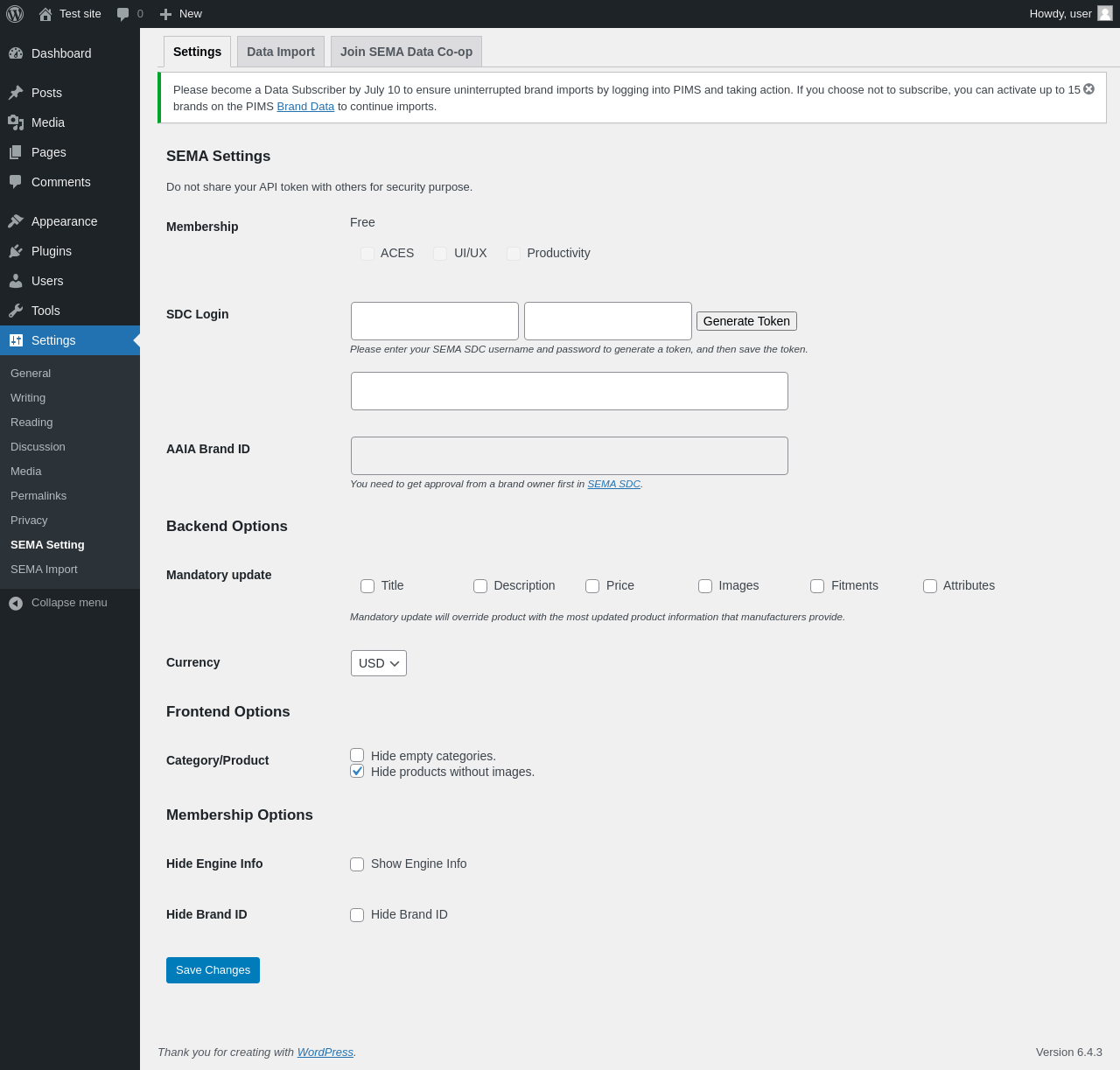
Settings → SEMA Setting

Page screenshot: Settings → SEMA Setting
URL /wp-admin/options-general.php?page=sema_setting
Aspect menu-item
HTTP status 200
Load time 1.170 s
Memory usage 3.38 MiB
JS errors None
Resource errors None

Settings → SEMA Setting → Join SEMA Data Co-op

Screenshot not available
URL
Aspect menu-item-tab
HTTP status 0
Load time -0.001 s
Memory usage N/A
JS errors None
Resource errors None

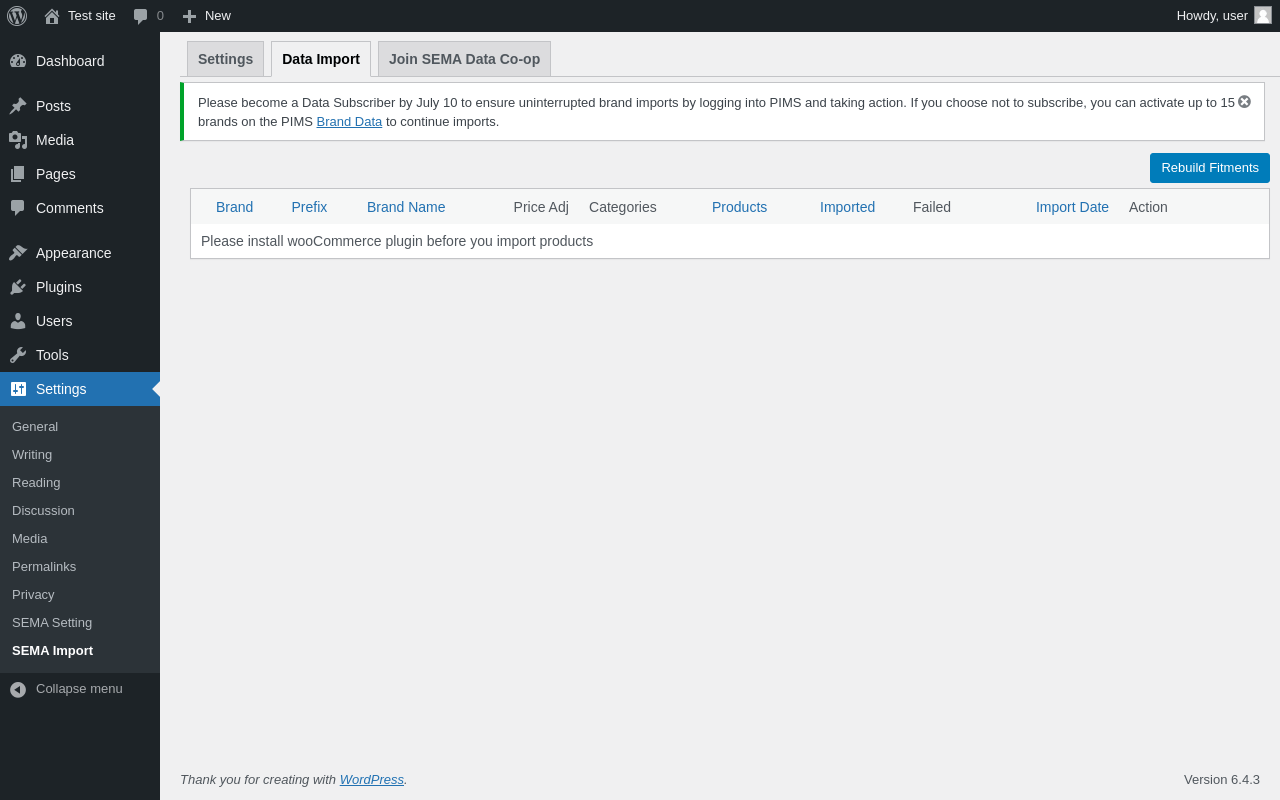
Settings → SEMA Import

Page screenshot: Settings → SEMA Import
URL /wp-admin/options-general.php?page=sema_import
Aspect menu-item
HTTP status 200
Load time 0.447 s
Memory usage 3.46 MiB
JS errors None
Resource errors None

Settings → SEMA Import → Join SEMA Data Co-op

Screenshot not available
URL
Aspect menu-item-tab
HTTP status 0
Load time -0.001 s
Memory usage N/A
JS errors None
Resource errors None

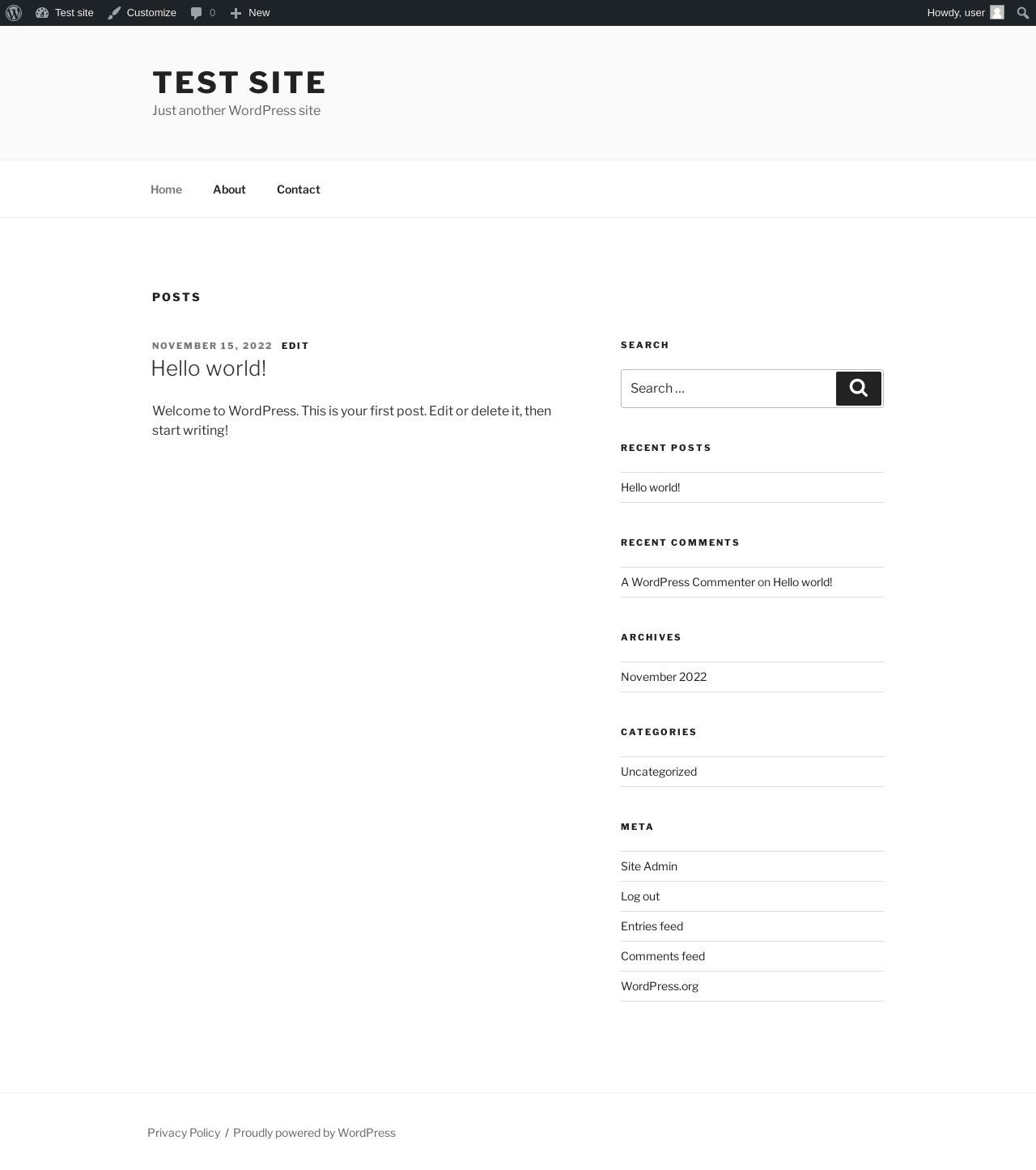
Test site – Just another WordPress site

Page screenshot: Test site – Just another WordPress site
URL /
Aspect front-page
HTTP status 200
Load time 0.458 s
Memory usage 3.32 MiB
JS errors None
Resource errors None

Benchmark

URL Load time Memory usage
Inactive Active Change Inactive Active Change
/wp-admin/index.php0.388 s0.658 s+0.270 s3.38 MiB3.42 MiB+ 35.41 KiB
/wp-admin/edit.php0.221 s0.327 s+0.106 s3.41 MiB3.45 MiB+ 39.07 KiB
/wp-admin/post-new.php1.023 s1.047 s+0.024 s5.46 MiB5.5 MiB+ 38.67 KiB
/wp-admin/upload.php0.713 s0.521 s-0.192 s3.32 MiB3.34 MiB+ 18.46 KiB
/wp-admin/options-writing.php0.218 s0.332 s+0.114 s3.32 MiB3.33 MiB+ 14.37 KiB
/wp-admin/media-new.php0.316 s0.436 s+0.120 s3.3 MiB3.33 MiB+ 34.97 KiB
/wp-admin/edit-tags.php?taxonomy=category0.207 s0.306 s+0.099 s3.31 MiB3.35 MiB+ 38.58 KiB
/wp-admin/post-new.php?post_type=page0.623 s0.681 s+0.058 s5.45 MiB5.49 MiB+ 38.68 KiB
/wp-admin/options-discussion.php0.287 s0.379 s+0.092 s3.3 MiB3.32 MiB+ 20.6 KiB
/wp-admin/edit-comments.php0.258 s0.368 s+0.110 s3.34 MiB3.36 MiB+ 19.59 KiB
/0.295 s0.229 s-0.066 s3.31 MiB3.32 MiB+ 13.66 KiB
Average 0.414 s0.480 s+0.067 s3.72 MiB3.75 MiB+ 28.37 KiB

Code Statistics

Note: Third-party libraries and minified JS/CSS files are excluded from these statistics where possible, so the numbers you see here may be lower than those reported by other tools.

JavaScript
CSS
PHP
Language % Lines of code Comment lines Files
JavaScript57.0%18,0144,8485
CSS24.1%7,6123177
PHP18.9%5,9651,07415
Total 31,591 6,239 27

PHP Code Analysis | More results »

Lines of code 4,533
Total complexity 866
Median class complexity 12.0
Median method complexity 2.0
Most complex class SEMA_Product_Import
Most complex function sema_getdata_callback()
Classes 5
Methods 49
Functions 33

Additions

Things that the plugin adds to the site. This section is not intended to be comprehensive. The test tool only looks for a few specific types of added content.

Database Tables 3

Options wp_options 2

PHP Error Log 11 lines

[04-Mar-2024 19:40:04 UTC] WordPress database error Key column 'id' doesn't exist in table for query CREATE TABLE wp_sema_products (
			`productid` int(11) NOT NULL,
			`brandid` varchar(5) CHARACTER SET utf8mb4 COLLATE utf8mb4_unicode_ci NOT NULL,
			`partno` varchar(50) CHARACTER SET utf8mb4 COLLATE utf8mb4_unicode_ci NOT NULL,
			`status` int(11) DEFAULT NULL,
			`wpid` int(11) DEFAULT NULL,
			PRIMARY KEY (`id`),
			KEY `idx_wpid` (`wpid`) USING BTREE,
			KEY `idx_brandid` (`brandid`) USING BTREE,
  			KEY `idx_brandidpartno` (`brandid`,`partno`) USING BTREE
		  ) DEFAULT CHARACTER SET utf8mb4 COLLATE utf8mb4_unicode_520_ci made by activate_plugin, do_action('activate_sema-api/sema-api.php'), WP_Hook->do_action, WP_Hook->apply_filters, sema_activation, sema_create_tables, dbDelta

See also: All tests for this plugin, How to Hide SEMA API Admin Menus